
Introduction
A machine goes down. The technician grabs a work order, walks to the storeroom, and finds an empty bin where the replacement bearing should be. Production stops. Nobody knew the part was gone until it was too late.
This scenario plays out across plants every week. Even well-run operations struggle with it: the average company reports inventory accuracy around 91%, while the lowest performers sit closer to 67%, according to CAPS Research data reported by ISM.
MRO inventory management software fixes this by centralizing stock levels, locations, usage history, and replenishment rules that otherwise live in spreadsheets, sticky notes, and someone's memory.
This guide compares six tools across different categories. The right fit depends on what you need most:
- Simple parts tracking
- Full asset management
- CMMS workflows
- Manufacturing inventory control
- Plant-wide operational visibility
Key Takeaways
- MRO software should tell you what parts you have, where they sit, who used them, and when to reorder.
- Inventory-first, CMMS-first, and manufacturing-intelligence platforms each solve a different slice of the MRO puzzle.
- Weigh maintenance linkage, mobile usability, integrations, and total cost before picking a platform.
- Start with your most critical parts, clean your data, then expand in phases.
What MRO Inventory Management Software Does
MRO stands for maintenance, repair, and operations — the parts and supplies that keep production running without becoming part of the finished product. Think bearings, filters, lubricants, PPE, cleaning supplies, and facility-maintenance items. NetSuite's definition draws a clear line: these items support operations, unlike raw materials that flow into a bill of materials.
MRO Software vs. CMMS vs. ERP vs. Asset Management
These terms get used interchangeably, but they cover different ground:
- MRO inventory software manages the parts process: procurement, storage, and usage tracking.
- CMMS (Computerized Maintenance Management System) manages the broader maintenance program, including work orders, asset health, and technician activity — inventory is one piece of it.
- ERP/MRP platforms handle enterprise-wide material planning and financials, with maintenance orders and goods receipt as specific process objects rather than storeroom-level detail.
- Asset management (EAM) tracks equipment from purchase to disposal, a wider lifecycle view than day-to-day maintenance.
A tool might blend two or three of these functions. Knowing which one you actually need prevents buying more platform than your team will use. Once that scope is clear, the next question is whether the system can carry each part through its full lifecycle.
The Core Workflow to Support
A functional MRO system should carry a part through its full lifecycle:
- Item setup — capture part number, description, and manufacturer so every storeroom uses the same record
- Stock and location tracking — know on-hand qty across bins, storerooms, and sites
- Issue and return — tie every transaction to a user or work order
- Reorder logic — trigger replenishment from min/max levels or real usage patterns
- Purchasing and receiving — generate POs and post receipts against open demand
- Consumption tracking — log parts used on specific work orders
- Reporting — monitor spend, inventory accuracy, and stockouts

Manufacturing teams need more than a flat item list. The system should connect parts to:
- The equipment they serve
- The maintenance tasks that consume them
- The suppliers who replenish them
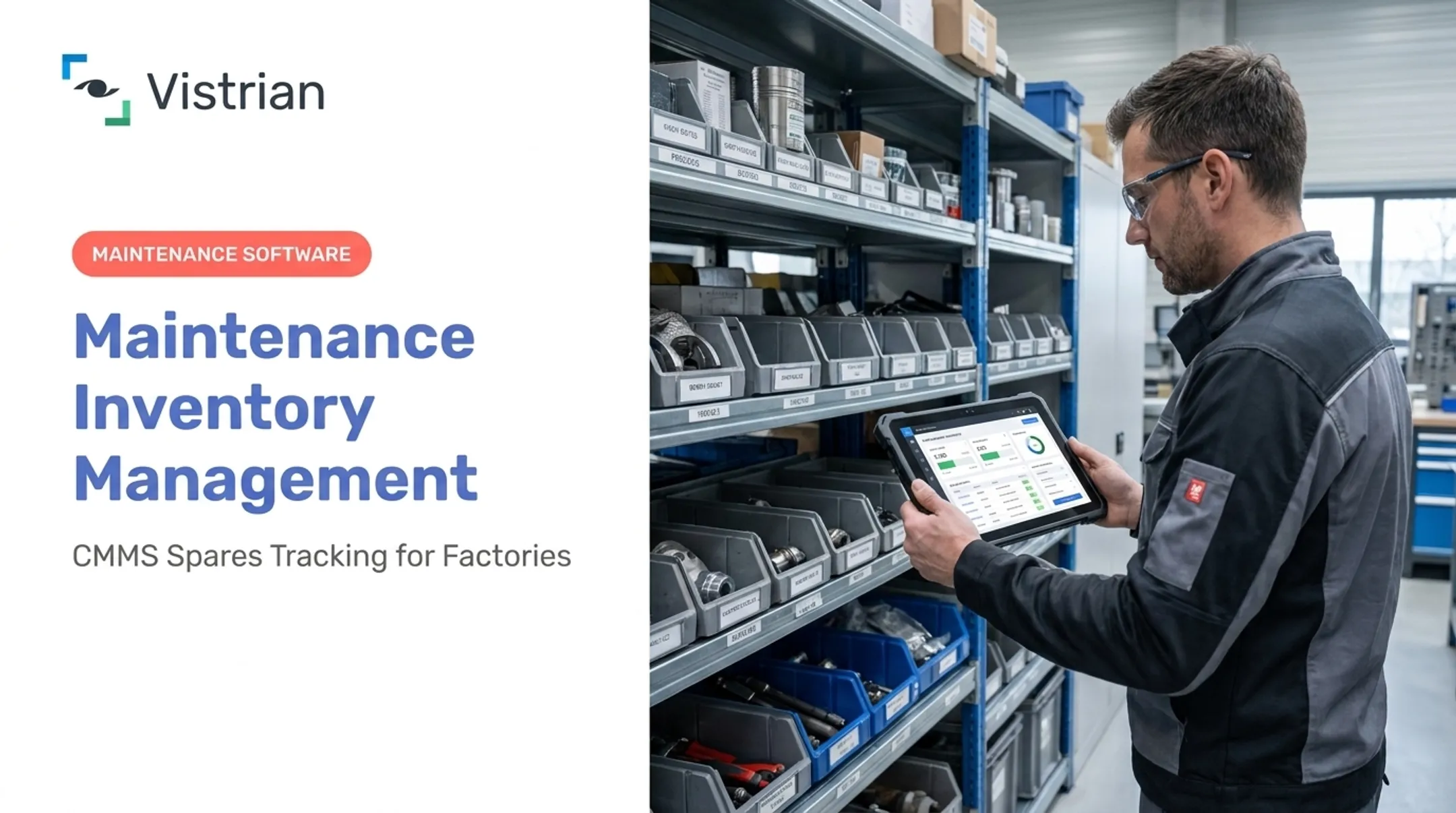
VistrianMMS, for example, links spare-parts records to equipment history and preventive-maintenance schedules. A technician can see which parts a machine typically needs before the work order even opens.
Features to Compare Before Choosing an MRO Inventory Tool
Not every "inventory app" is built for a storeroom feeding a production line. Here's what actually matters.
Item Control, Replenishment, and Technician Usability
Check for part numbers, manufacturer details, substitute-part mapping, units of measure, and bin-level location tracking. Weak duplicate-prevention logic is one of the fastest ways storerooms end up with three records for the same filter.
On the replenishment side, look for:
- Min/max levels and reorder points
- Safety stock and lead-time fields
- Low-stock alerts with approval workflows
- Native purchase orders and supplier records
Some platforms only offer these through third-party integrations rather than natively. Verify before you buy.
Mobile access matters more than most buyers expect too. Look for:
- Barcode or QR scanning
- Check-in/check-out from a phone
- Offline capability for spotty plant-floor Wi-Fi
- Photo attachments for identifying oddly-shaped or unlabeled parts
Maintenance Integration, Reporting, and Total Cost
Beyond day-to-day usability, check how well the tool connects to maintenance workflows. This is where inventory-only tools tend to fall short: you want work-order parts reservation, equipment history tied to spare-parts use, and visibility into spare-parts criticality — which parts, if unavailable, would stop a critical asset.
Stockout trends, MRO spend, carrying costs, and supplier performance should be reportable without exporting to a spreadsheet first. Confirm integration depth with ERP, procurement, accounting, and CMMS systems: "integration available" sometimes means a manual CSV upload, not a live connection.
Carrying cost isn't trivial. The median inventory carrying cost sits at 10.0% of inventory value across a large APQC benchmarking sample, covering capital, storage, insurance, and obsolescence. Factor implementation effort, per-user pricing tiers, and support responsiveness into your total cost picture, not just the license fee.

Top MRO Inventory Management Software Tools to Compare
These six tools represent different approaches to the MRO problem. Rankings here reflect verified functionality and fit, not brand recognition.
Sortly
Sortly is a visual, mobile-first inventory tracker built around barcode/QR scanning, custom fields, photos, and low-stock alerts. Its "Active Jobs" feature links items to work orders and tickets. Pricing ranges from a free tier (100 items) to Enterprise, with Advanced starting around $49/month for 2,000 items. Best for: small teams needing straightforward parts visibility rather than deep maintenance or purchasing workflows. Capterra reviewers note reporting and integration depth can feel limited as needs grow.
Asset Panda
Asset Panda offers configurable asset records, mobile scanning, lifecycle tracking, and a REST API for ERP or accounting connections. Pricing starts around $3,000/year for Starter plans. Best for: teams wanting heavy customization of asset records. One caveat: the vendor advertises offline workflows, but Capterra reviews report complaints about missing offline access. Worth testing before committing.
EZOfficeInventory
EZOfficeInventory combines multi-location inventory tracking with Maintenance Pro for work orders and preventive care. Plans run from roughly $63.55/month (300 items, 5,000 stock units) to Enterprise with unlimited stock units. Best for: asset-centric operations tracking equipment plus consumables. It leans more toward asset tracking than complex manufacturing storerooms.
Fishbowl Inventory
Fishbowl handles SKU and location tracking, manufacturing orders, bills of materials, and QuickBooks/Xero accounting sync. Cloud plans start at $229/month for 2 users; on-premises Advanced starts at $595/month. Best for: manufacturers needing MRO tracking alongside production inventory and accounting integration. G2 reviewers note QuickBooks syncing isn't always instantaneous.
UpKeep
UpKeep is CMMS-first: work orders, preventive maintenance, and mobile technician workflows, with parts tied to storerooms, bins, and cost roll-up into asset history. Pricing starts at $24/user/month (Essential) up to custom Enterprise tiers with multi-site support. Best for: teams where maintenance execution matters as much as inventory control. Advanced reporting may need additional configuration per Capterra reviews.
Vistrian Maintenance Suite (VistrianMMS)
VistrianMMS is a CMMS built for manufacturing environments. It combines work orders, preventive-maintenance scheduling, and spare-parts tracking through its companion module, VistrianSMS. High Value Parts Tracking follows expensive components by life, usage, location, and value. Alerts flow directly into work orders with owners and due dates. The suite deploys cloud or on-premises, runs from any mobile browser, and integrates with FactoryLOOK and Vistrian Analytics for condition-based maintenance. Best for: manufacturers who need spare-parts data tied to real equipment behavior, not a standalone parts list. Clients using the Maintenance Suite have seen up to a 17.8% reduction in MRO inventory and a 20.1% reduction in equipment downtime. Pricing is quote-based by modules and sites. This suite is not a direct swap for inventory-first tools like Sortly. It is built around maintenance workflows first, with spares management woven in.
| Tool | Strongest Fit |
|---|---|
| Sortly | Simple parts/supplies tracking |
| Asset Panda | Customizable asset records |
| EZOfficeInventory | Asset-heavy operations |
| Fishbowl | Manufacturing + accounting integration |
| UpKeep | Maintenance execution + inventory |
| Vistrian Maintenance Suite | Manufacturing plants needing equipment-linked spares data |
How to Choose and Implement the Right MRO Inventory Tool
Buying software is the easy part. Getting your team to trust and use it is where projects stall.
- Audit your requirements. List MRO categories, storerooms, sites, current spreadsheets, and recurring stockout causes.
- Segment items by criticality. Rank parts by usage frequency, lead time, replacement difficulty, and safety impact — not just price.
- Build a vendor scorecard. Weight inventory control, maintenance linkage, mobile usability, integrations, and total cost based on how your plant actually operates.
- Clean your data before migration. Merge duplicate part records, standardize naming conventions, and map bins to equipment.
- Roll out in phases. Start with critical, high-use parts. Add barcode labeling, alerts, and purchasing workflows once adoption sticks. Expand to other sites last.
- Set success measures upfront. Track inventory accuracy, stockout frequency, rush orders, and preventive-maintenance completion.

Carrying cost matters here too. A phased rollout that cuts excess stock without triggering stockouts moves you toward that 10% median carrying-cost benchmark from APQC. Vistrian deployments typically launch in 3 to 4 weeks, depending on scope, so the clean-data-then-expand path stays practical.
Frequently Asked Questions
What is the MRO process in SAP?
SAP supports MRO through material-master data, maintenance orders with technical objects and operations, purchase-order creation, and goods receipt against stock. Exact steps vary by which SAP modules and configuration your organization uses.
What is the best software for managing auto spare parts inventory?
It depends on part volume, vehicle relationships, and whether you need customer-facing retail features or internal storeroom control. Maintenance storerooms need barcode support, work-order linkage, and purchasing, not retail point-of-sale features.
What is MRO in inventory management?
MRO refers to maintenance, repair, and operations items: spare parts, tools, lubricants, filters, PPE, and cleaning supplies. Unlike production materials, MRO items support operations without becoming part of the finished product.
What features should MRO inventory management software include?
Core features include item and location records, stock movement tracking, reorder alerts, purchasing, barcode/QR scanning, multi-site support, and reporting. Manufacturing teams typically also need work-order and equipment linkage.
Is a CMMS the same as MRO inventory management software?
Not quite. A CMMS manages the broader maintenance program (work orders, schedules, technician activity) while MRO inventory software focuses specifically on parts and supplies. Many platforms, including VistrianMMS, combine both capabilities in one system.